Mastering Paint & Escape: Gameplay Overview, Tips & FAQ
Welcome to Paint & Escape, an exhilarating Adventure title delivering smooth, responsive web gameplay directly inside your modern browser with zero software downloads or device installations required.
Independently tested and verified on looko.co.uk (Oct 2026). Sandboxed in modern HTML5 canvas with zero external app downloads, responsive input latency, and full cross-device compatibility.
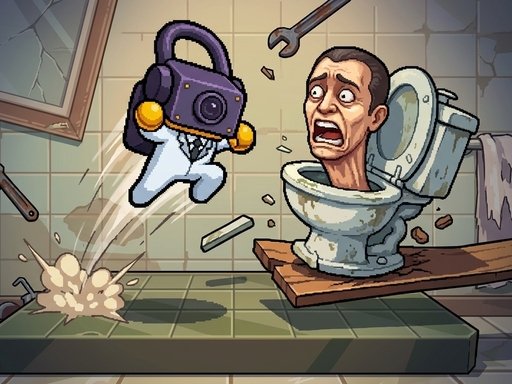
Game Overview & Concept: Paint & Escape is a neon stealth-action game. Sneak past the guards, paint your graffiti masterpiece on the glowing spot, then escape before they catch you! Every level is a newly built house, school, museum or arcade, and the guards get smarter as you go. Watch out for security cameras, guard dogs and armored guards. Splat guards with paint bombs, taunt them with dances and collect spray cans for 3 stars. Unlock upgrades, outfits and hats, and come back for daily gifts, quests and trophies.
1. Core Gameplay Mechanics, Physics & Objectives
Adventure awaits in Paint & Escape, combining immersive atmospheric world-building with fluid character mobility. Every dungeon, temple, or wild frontier challenges your spatial instincts with layered verticality and environmental puzzle gates.
With immediate checkpointing and zero bloated loading screens, Paint & Escape keeps the thrill of discovery alive from the opening moments to the climactic final stage.
2. Cross-Device Controls & Input Scheme (PC & Mobile)
WASD or Arrow keys move SPACE or E F throw a paint bomb at a nearby guard T dance taunt ESC pause Mobile drag anywhere to move tap the on-screen bomb and dance buttons
- Desktop PC & Laptop: Use mouse click and directional keys (WASD or Arrow Keys) for precision maneuvering.
- Touchscreen Mobile & Tablets: Tap, swipe, or drag smoothly on the display canvas for seamless mobile play.
- Fullscreen Gaming: Click the Fullscreen icon beneath the player to expand the canvas for total immersion.
3. Top 5 Actionable Strategies for Mastering the Game
- Observe Pattern Cadences: Take the opening seconds of each round to observe moving hazards before committing your primary movements.
- Maintain Precision Over Pure Speed: Controlled, disciplined inputs yield consistent high scores far better than rushed panicked reactions.
- Master Micro-Adjustments: Use light rhythmic taps rather than holding continuous directional inputs to maintain maximum balance.
- Capitalize on Multipliers: Target glowing bonus pickups and streak multipliers whenever safe routes allow.
4. Player Progression, Reward Milestones & Longevity
Beyond clearing the main quest campaign, Paint & Escape is packed with hidden lore tomes, optional time-trial speedrun paths, and collectible ancient artifacts scattered throughout dangerous environments.
Mastering alternate movement shortcuts and achieving 100% completion ratings across every territory provides rich satisfaction for platforming and adventure purists.
5. Helpful FAQ & Gameplay Insights
Can I play Paint & Escape for free without downloading?
Yes, Paint & Escape is 100% free to play directly inside your web browser on PC, tablet, and mobile devices.
Will my progress and high scores be saved?
Yes, your personal records and achievements are saved locally in your browser storage so you can return anytime.
Is Paint & Escape family-friendly and safe?
Yes, this title runs within secure modern HTML5 browser sandboxes with zero downloads and is completely family-safe.
Quick Controls Guide
WASD or Arrow keys move SPACE or E F throw a paint bomb at a nearby guard T dance taunt ESC pause Mobile drag anywhere to move tap the on-screen bomb and dance buttons