SIX FOLD Comprehensive Review, Controls & High-Score Blueprint
Welcome to SIX FOLD, an exhilarating Arcade title delivering smooth, responsive web gameplay directly inside your modern browser with zero software downloads or device installations required.
Independently tested and verified on looko.co.uk (Oct 2026). Sandboxed in modern HTML5 canvas with zero external app downloads, responsive input latency, and full cross-device compatibility.
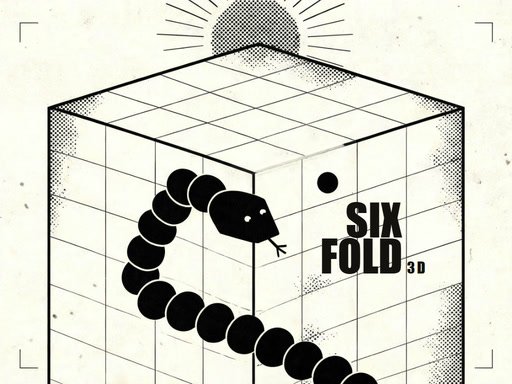
Game Overview & Concept: SIXFOLD: a 3D snake in six panels. Steer one ink line over a paper cube. Every mark you eat adds a link and the line moves faster; cross an edge and the cube rolls, turning the panel under you into a wall. Six faces, no floor, no finish — only your own line can stop you, so bite yourself and the run ends. SCORE is links eaten, BEST is your record. Three start paces: CALM, BRISK, FERAL. Arrows or WASD on desktop, swipe on touch.
1. How the Game Works: Core Physics, Rules & Goals
The timeless charm of SIX FOLD lies in its crystalline focus on rewarding skill and instinctual hand-eye coordination. Featuring vibrant retro-inspired visuals and punchy audio cues, every successful evasion and combo chain delivers an immediate surge of satisfaction.
With frictionless browser loading and zero installation barriers, SIX FOLD invites you to chase the elusive perfect score, master tricky hazard patterns, and etch your name into arcade legend.
2. Complete Controls Breakdown & Device Compatibility
Keyboard touch and pointer Arrow keys or WASD turn the line one way at a time swipe on a touch screen The run ends when the line crosses itself HUD keys pause mute and END end this run P or ESC resumes M mutes ENTER or R starts a new line The
- Desktop PC & Laptop: Use mouse click and directional keys (WASD or Arrow Keys) for precision maneuvering.
- Touchscreen Mobile & Tablets: Tap, swipe, or drag smoothly on the display canvas for seamless mobile play.
- Fullscreen Gaming: Click the Fullscreen icon beneath the player to expand the canvas for total immersion.
3. Pro Gameplay Strategies: 5 Tips for Higher Scores
- Observe Pattern Cadences: Take the opening seconds of each round to observe moving hazards before committing your primary movements.
- Maintain Precision Over Pure Speed: Controlled, disciplined inputs yield consistent high scores far better than rushed panicked reactions.
- Master Micro-Adjustments: Use light rhythmic taps rather than holding continuous directional inputs to maintain maximum balance.
- Capitalize on Multipliers: Target glowing bonus pickups and streak multipliers whenever safe routes allow.
4. Achievement Milestones, Replay Factor & Mastery Loop
Honoring the greatest traditions of coin-op history, SIX FOLD hooks players through an intoxicating high-score pursuit and unlockable retro visual themes.
Competing against friends or striving to beat your own highest benchmark ensures that every single play session feels vital, thrilling, and endlessly replayable.
5. Frequently Asked Questions (FAQ)
Can I play SIX FOLD for free without downloading?
Yes, SIX FOLD is 100% free to play directly inside your web browser on PC, tablet, and mobile devices.
Will my progress and high scores be saved?
Yes, your personal records and achievements are saved locally in your browser storage so you can return anytime.
Is SIX FOLD family-friendly and safe?
Yes, this title runs within secure modern HTML5 browser sandboxes with zero downloads and is completely family-safe.
Quick Controls Guide
Keyboard touch and pointer Arrow keys or WASD turn the line one way at a time swipe on a touch screen The run ends when the line crosses itself HUD keys pause mute and END end this run P or ESC resumes M mutes ENTER or R starts a new line The